Tips for Organizing a Clutter-Free Home Workspace
Creating a clutter-free home workspace is essential for maintaining focus, enhancing productivity, and promoting a positive work environment. Whether you’re working remotely full-time or occasionally using a home office, organizing your space can make a significant difference in your workday. In this post, we’ll share practical tips to help you organize and keep your home workspace clutter-free.
Why a Clutter-Free Workspace Matters
A clean and organized workspace minimizes distractions and makes it easier to find the tools and documents you need. It fosters mental clarity and can even improve your mood and motivation throughout the day. When your space is cluttered, it’s easy to feel overwhelmed and disorganized, which can negatively impact your work quality.
Assess Your Current Workspace
Start by taking a good look at your current setup. Consider the following:
– What items do you use daily?
– Which objects are rarely or never used?
– Are there items that don’t belong in your workspace?
– How much storage space do you have?
Knowing the answers to these will help you decide what to keep, what to relocate, and what to discard.
Declutter First: The Foundation of Organization
Decluttering is the first and most important step in organizing your workspace. Here’s how to do it effectively:
- **Clear Everything Off**: Start fresh by removing all items from your desk and surrounding area.
- **Sort Items into Categories**: Use boxes or bins labeled “Keep,” “Relocate,” “Donate,” and “Trash.”
- **Be Honest**: If you haven’t used it recently or it no longer serves a purpose, consider letting it go.
- **Limit Paper Piles**: Sort through papers, recycle what you don’t need, and store essential documents in folders or filing systems.
Designate Zones for Different Activities
Dividing your workspace into zones helps keep everything orderly. Depending on your work style, set up areas with specific purposes:
– Work Zone: Your computer, keyboard, mouse, and essential daily tools belong here.
– Reference Zone: Books, manuals, and frequently accessed documents.
– Supply Zone: Pens, notepads, chargers, and other office supplies.
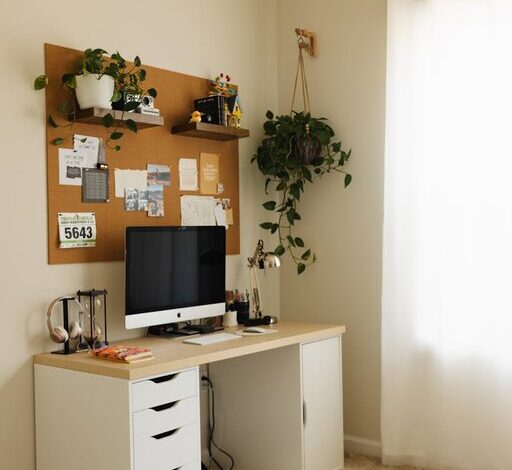
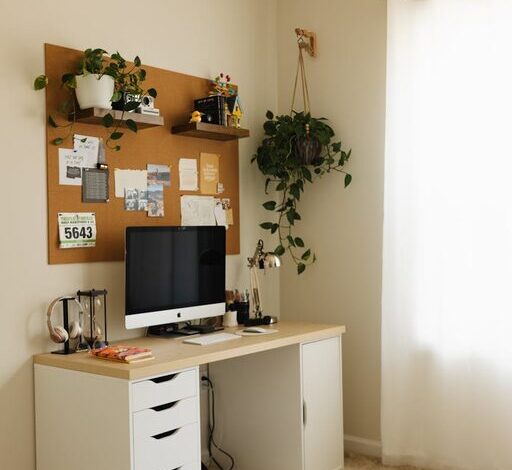
– Inspiration Zone: Personal touches like photos or plants to encourage creativity.
Having clear zones makes organizing easier and allows you to store items logically.
Use Storage Solutions Wisely
Proper storage can drastically reduce clutter. Some ideas include:
– Drawer Organizers: Keep small items like paper clips, sticky notes, and pens neat.
– Shelving Units: Use vertical space to store books and boxes.
– Filing Cabinets or Boxes: Store important documents safely and in order.
– Cable Management Tools: Velcro straps, clips, or cable boxes keep cords neat and untangled.
Choose storage options that fit your space and needs without overcrowding your area.
Keep Only What You Need on Your Desk
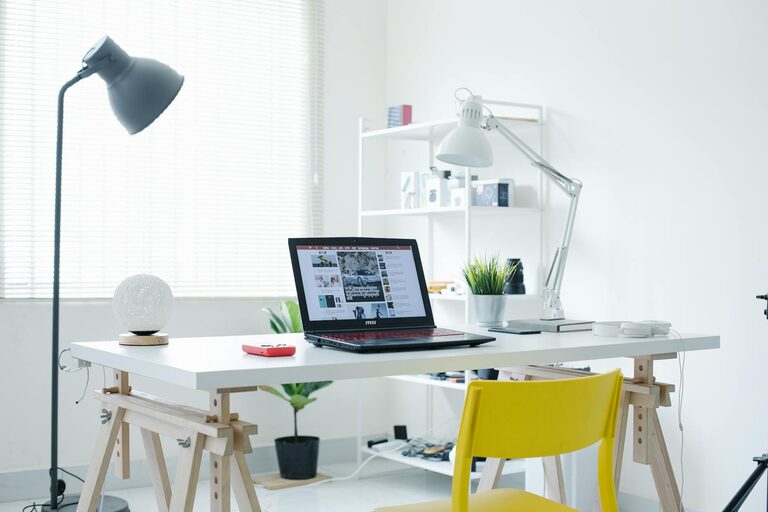
Limit the items on your desk surface to those you use daily. This may include your computer, a notepad, a lamp, and a few essentials. Store less-used items out of sight to maintain a clean look.
Develop Daily Habits to Maintain Order
Organization isn’t a one-time task—it requires consistent care. Try these habits:
– End-of-Day Tidy: Spend five minutes putting things back in their designated places.
– Regular Paper Management: Sort incoming mail and papers immediately.
– Use Digital Options: Digitize notes and documents when possible to reduce paper clutter.
– Review Supplies Monthly: Discard or donate broken or unnecessary items regularly.
Optimize Lighting and Ergonomics
A clutter-free space also means a comfortable and pleasant environment. Good lighting reduces eye strain and enhances focus. Consider natural light sources or quality desk lamps. Ergonomic furniture supports good posture and further encourages a productive workspace.
Personalize Mindfully
Add personal touches like photos, plants, or artwork — but keep it minimal. Too many decorations can create visual clutter. Choose a few meaningful items that inspire you without overwhelming your workspace.
Additional Tips
– Go Wireless: Wireless keyboards, mice, and chargers reduce cable clutter.
– Use Vertical Wall Space: Pegboards or corkboards can hold notes, calendars, and tools.
– Label Everything: Clear labels on storage bins and files make retrieval easy.
– Invest in Multi-purpose Furniture: Desks with built-in storage can save space.
Conclusion
Organizing a clutter-free home workspace is achievable with a clear plan and consistent effort. By decluttering, creating zones, using smart storage, and maintaining simple habits, you can build an environment that supports your productivity and wellbeing. Remember, the goal is a space that feels inviting, efficient, and truly your own. Start small, stay consistent, and enjoy your organized workspace every day.