
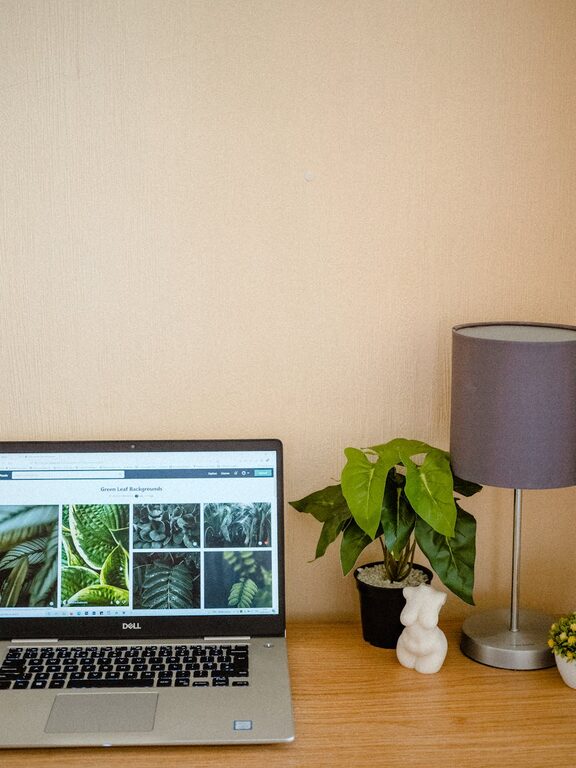
Tips for Creating a Cozy and Functional Home Workspace
Creating a home workspace that is both cozy and functional can make a big difference in your productivity and overall well-being. Whether you are working from home full-time or occasionally, a well-designed workspace helps you stay focused while feeling comfortable. This guide offers practical tips to help you set up a home office that suits your needs and style.
Choose the Right Location
Finding the right spot for your workspace is the first step. Ideally, select a quiet area of your home with minimal distractions. A dedicated room is perfect, but a corner in the living room or bedroom can work if space is limited.
– Look for natural light to keep your area bright and uplifting.
– Avoid high traffic zones to reduce noise and interruptions.
– Consider proximity to electrical outlets for your devices.
Invest in Comfortable and Ergonomic Furniture
Comfort is key to maintaining productivity over long periods. Ergonomic furniture supports good posture and prevents discomfort.
– Desk: Choose a desk with enough surface space to hold your computer, paperwork, and other essentials without feeling cramped.
– Chair: Opt for an adjustable chair with lumbar support and cushioning.
– Optional: For those who like to alternate positions, a sit-stand desk can promote movement and reduce fatigue.
Organize for Efficiency
A clutter-free workspace helps your mind stay clear and organized. Use smart storage solutions tailored to your workflow.
– Use shelves, filing cabinets, or drawers to keep documents and supplies tidy.
– Consider drawer organizers or desktop trays for smaller items like pens and notepads.
– Keep frequently used items within easy reach to save time.
Personalize Your Space
Adding personal touches makes your workspace inviting and motivates you to spend time there.
– Decorate with plants to bring a bit of nature indoors and improve air quality.
– Hang artwork or photos that inspire you.
– Choose calming or energizing colors for walls or accessories depending on your preference.
Optimize Lighting
Proper lighting reduces eye strain and creates a pleasant environment.
– Position your desk near a window if possible to make use of natural daylight.
– Add a desk lamp with adjustable brightness for focused tasks.
– Avoid harsh overhead lighting or glare on your computer screen.
Minimize Distractions
Creating boundaries between work and home life enhances focus.
– Use noise-canceling headphones if your workspace is noisy.
– Establish a routine to signal when work begins and ends.
– Communicate your work hours to family or housemates to reduce interruptions.
Incorporate Technology Wisely
Reliable tech is essential in today’s work environment. Set up your devices to support your workflow.
– Invest in a fast internet connection for video calls and online tasks.
– Use a wireless keyboard and mouse to reduce cable clutter.
– Keep chargers and cables organized with clips or under-desk trays.
Keep Comfort Items Handy
Small comforts can improve your workday experience.
– Keep a water bottle nearby to stay hydrated.
– Have snacks accessible for quick breaks.
– Use a cozy blanket or footrest if your workspace tends to get chilly.
Maintain and Refresh Your Workspace
Regular upkeep ensures your home office stays functional and inviting.
– Schedule weekly tidying sessions to clear clutter.
– Rotate décor or update supplies periodically to keep things fresh.
– Address any discomfort or inefficiency as soon as possible.
—
Creating a cozy and functional home workspace doesn’t require a complete makeover. By focusing on comfort, organization, and personalization, you can design a space that supports productivity and makes working from home more enjoyable. Start with a few changes today and adjust as you learn what works best for your routine.
